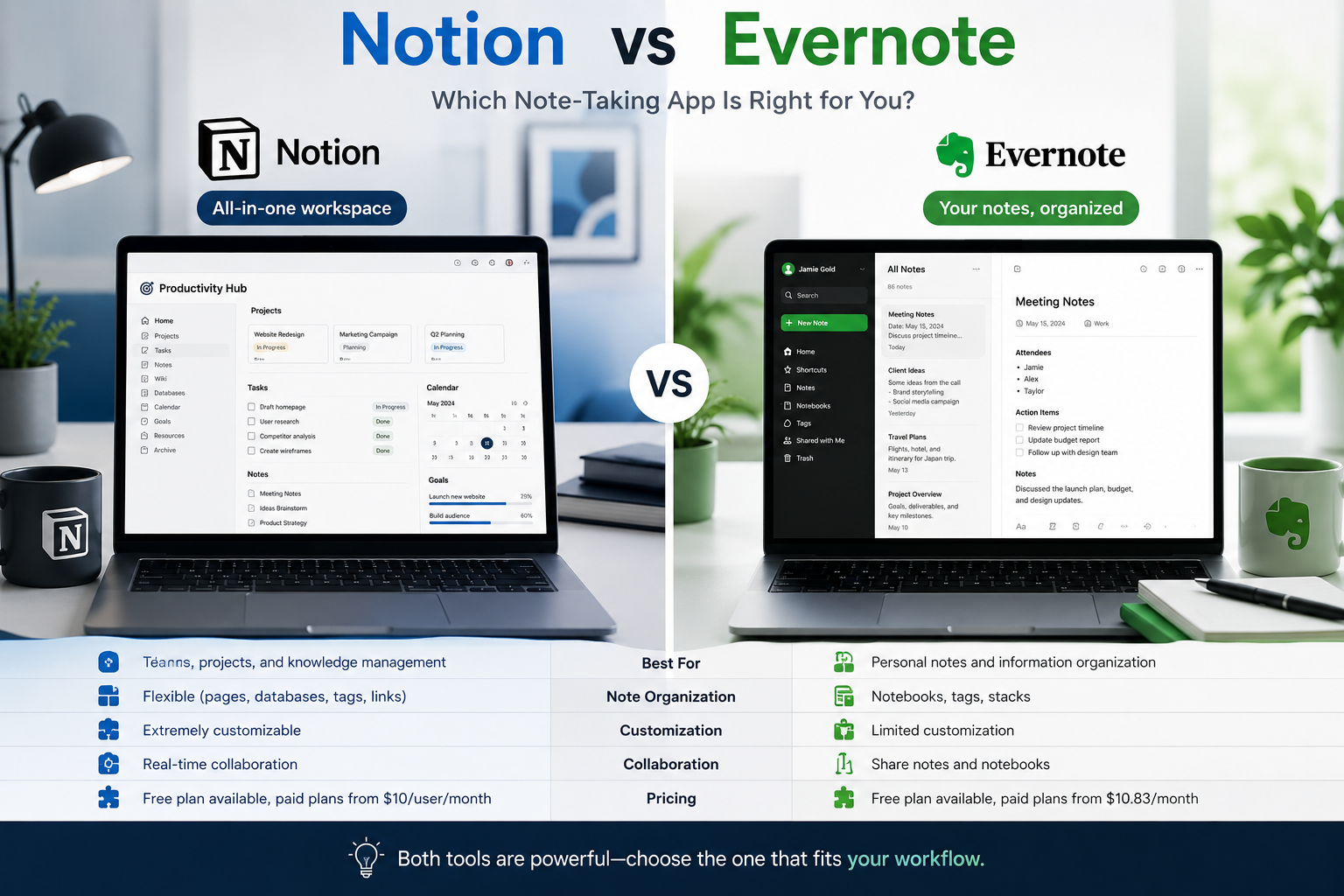
Digital note-taking has become an essential part of modern productivity. Whether you’re a student organizing study materials, a professional managing projects, or an entrepreneur tracking business ideas, having the right note-taking app can significantly improve efficiency.
Two of the most popular note-taking platforms are Notion and Evernote. While both help users organize information, they serve slightly different purposes.
In this comparison guide, we’ll explore the strengths and weaknesses of each platform to help you decide which one is right for you.
What Is Notion?
Notion is an all-in-one productivity platform that combines:
- Note-taking
- Project management
- Task tracking
- Team collaboration
- Knowledge management
Instead of being just a note-taking tool, Notion functions as a complete digital workspace.
What Is Evernote?
Evernote is one of the oldest and most recognized note-taking applications.
Its primary focus is helping users:
- Capture ideas
- Organize notes
- Store documents
- Create digital notebooks
Evernote specializes in simplicity and efficient note organization.
User Interface Comparison
Notion
Notion offers a highly customizable interface.
Users can create:
- Dashboards
- Databases
- Project trackers
- Knowledge bases
Advantages
- Flexible layouts
- Modern design
- Powerful customization
Disadvantages
- Learning curve for beginners
Evernote
Evernote focuses on simplicity.
Users can quickly:
- Create notes
- Organize notebooks
- Search documents
Advantages
- Easy to learn
- Clean navigation
- Fast setup
Disadvantages
- Less customizable
Note-Taking Features
Notion
Notion allows users to create rich content including:
- Text
- Images
- Tables
- Databases
- Checklists
- Embedded files
Best For
Users who want advanced organization capabilities.
Evernote
Evernote focuses primarily on note management.
Features include:
- Rich text notes
- Document storage
- Web clipping
- PDF annotation
Best For
People who need straightforward note-taking.
Organization Capabilities
Notion
Organization is one of Notion’s biggest strengths.
Users can build:
- Content calendars
- Project management systems
- CRM databases
- Team workspaces
This flexibility makes it useful for businesses and professionals.
Evernote
Evernote uses a traditional structure:
- Notes
- Notebooks
- Tags
This simple approach works well for personal organization.
Collaboration Features
Notion
Notion excels in team collaboration.
Teams can:
- Share workspaces
- Assign tasks
- Collaborate in real time
- Manage projects
Best For
Businesses and remote teams.
Evernote
Collaboration exists but is more limited.
Users can share notes and notebooks, but project management capabilities are less advanced.
Best For
Individual users.
Search Functionality
Notion
Notion provides powerful search tools across workspaces and databases.
Evernote
Evernote is known for excellent search functionality.
Users can quickly locate:
- Notes
- PDFs
- Documents
- Images
For large note collections, Evernote remains highly effective.
AI Features
Notion AI
Notion includes AI-powered capabilities such as:
- Content generation
- Summaries
- Writing assistance
- Brainstorming
These features significantly improve productivity.
Evernote AI
Evernote has introduced AI features, but its AI ecosystem is generally less comprehensive than Notion’s.
Performance
Notion
Performance depends on workspace complexity.
Large databases may occasionally feel slower.
Evernote
Generally fast and lightweight.
Simple note structures often load quickly.
Best Use Cases
Choose Notion If You Want
- Project management
- Team collaboration
- Advanced customization
- Business workflows
- Content planning
Choose Evernote If You Want
- Simple note-taking
- Fast organization
- Easy learning curve
- Personal productivity
Advantages of Notion
- Highly customizable
- Powerful databases
- Team collaboration
- AI features
- Project management tools
Advantages of Evernote
- Simplicity
- Strong search capabilities
- Reliable note storage
- Easy onboarding
- Excellent document organization
Potential Drawbacks
Notion
- Can feel overwhelming initially
- Requires setup and customization
Evernote
- Less flexible
- Fewer advanced productivity features
Which App Is Better for Students?
Recommended: Notion
Students can benefit from:
- Study planners
- Assignment trackers
- Knowledge databases
- Note organization
However, students who prefer simplicity may still enjoy Evernote.
Which App Is Better for Professionals?
Recommended: Notion
Professionals often require:
- Task management
- Team collaboration
- Workflow organization
Notion handles these requirements exceptionally well.
Which App Is Better for Businesses?
Recommended: Notion
Businesses can create:
- Internal knowledge bases
- Project management systems
- Team dashboards
These features make Notion a strong business solution.
Final Verdict
Both Notion and Evernote are excellent tools, but they serve different audiences.
Choose Notion If:
- You need more than note-taking.
- You want project management and collaboration features.
- You value customization.
Choose Evernote If:
- You primarily take notes.
- You want simplicity and speed.
- You prefer a traditional note organization system.
For most modern users in 2026, Notion offers greater flexibility and long-term value, making it the stronger overall choice.
Frequently Asked Questions
Is Notion better than Evernote?
For advanced productivity and collaboration, Notion is generally considered the better option.
Is Evernote still worth using in 2026?
Yes. Evernote remains a reliable note-taking platform, especially for users who prefer simplicity.
Which app is better for students?
Notion is often preferred because of its planning and organization features.
Can businesses use Notion?
Absolutely. Many businesses use Notion for project management and knowledge sharing.
Does Notion have AI features?
Yes. Notion AI offers content generation, summarization, and productivity assistance.